Launchitone Mobile App Prototype
Launchitone is an iPad music production concept that combines a touch-based beat pad workflow with simulated MIDI controller setup for a Novation Launchpad. I designed it as a high fidelity prototyping exercise to explore interaction design for creative tools that need to feel fast, learnable, and safe during performance. The UI is intentionally minimal, with large touch targets, clear state feedback, and a repeatable step flow for assigning sounds to instrument layers.
This project was also a way to teach myself how sampler style software thinks. Instead of building a complicated DAW, I focused on the moments where beginners tend to get stuck: assigning sounds, understanding what is currently armed or linked, balancing levels, exporting correctly, and setting up external hardware without confusion. The result is a prototype that prioritizes system status, consistency, and accessibility while still feeling like a real product you could ship on iPad.
Challenge
Music creation apps can get overwhelming fast. Most sampler style apps are powerful, but the learning curve is steep, and key controls are often hidden behind dense menus. Hardware setup is another major pain point. If the device does not connect immediately or feedback is unclear, users assume the app is broken.
The challenge was to design an iPad prototype that:
Makes loop creation and sound assignment feel learnable through repetition
Keeps system status obvious (linked, armed, recording, exporting, device connected)
Simulates Launchpad setup in a way that feels realistic without being confusing
Includes safety and accessibility guardrails, especially for flashing visuals and sound levels
Avoids copying Koala Sampler branding while still learning from its workflow patterns
Results
Clear multi-tab structure for a creative workflow.
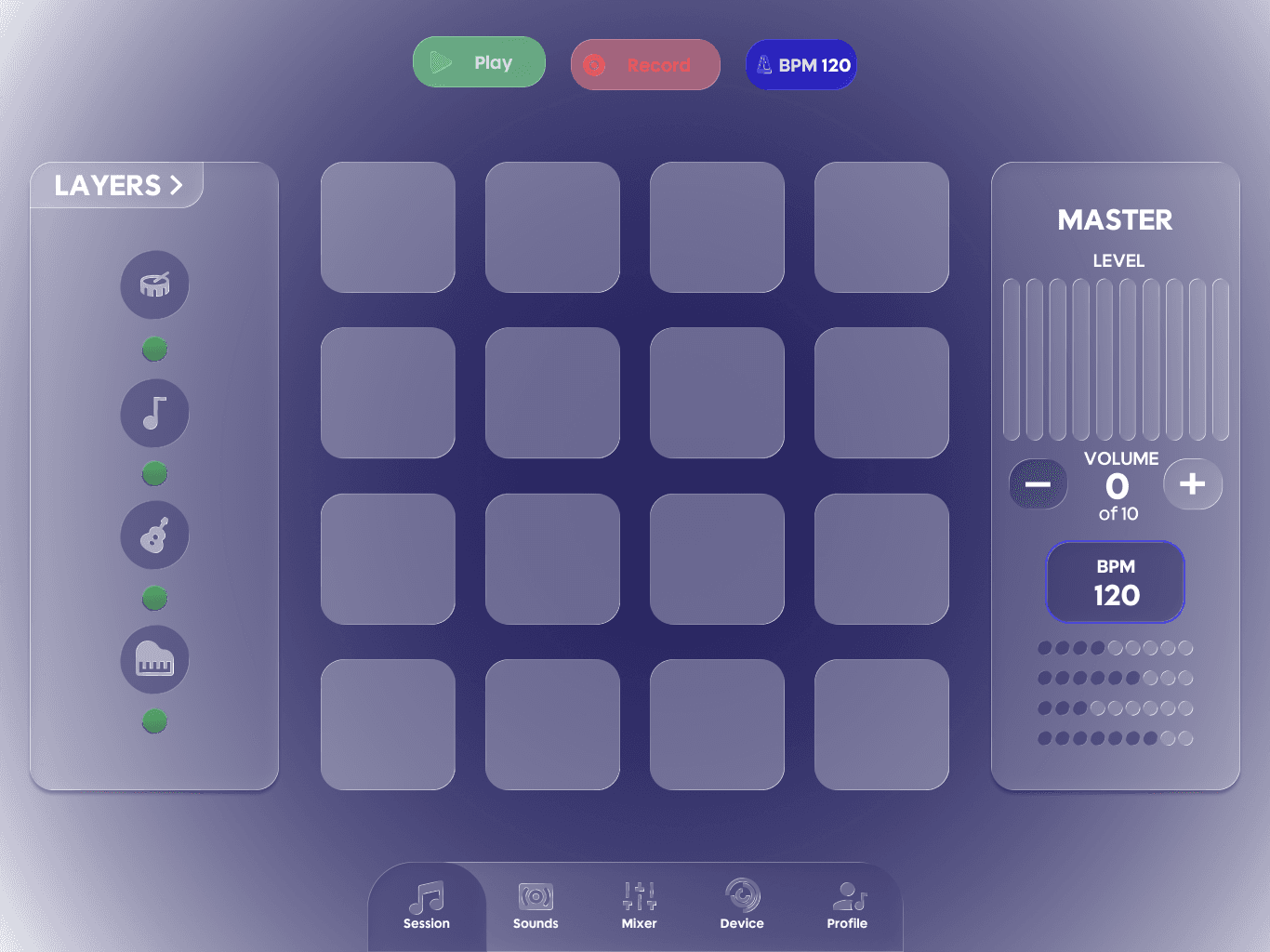
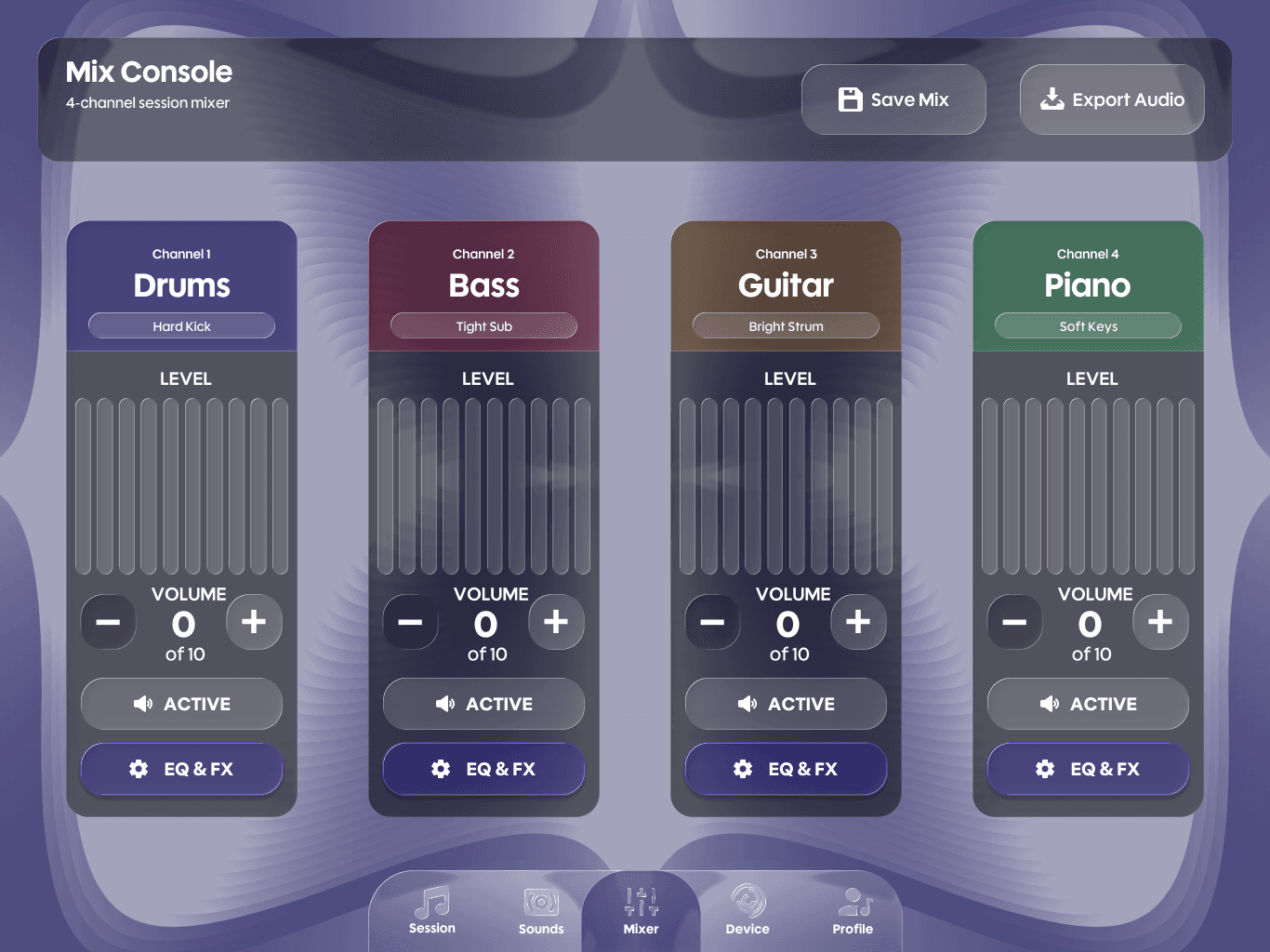
The app is organized into Session, Sounds, Mixer, Device, and Profile so users can predict where tasks live. High frequency actions stay in Session. Configuration and long term settings stay in Profile.
Repeatable 4 step sound assignment flow.
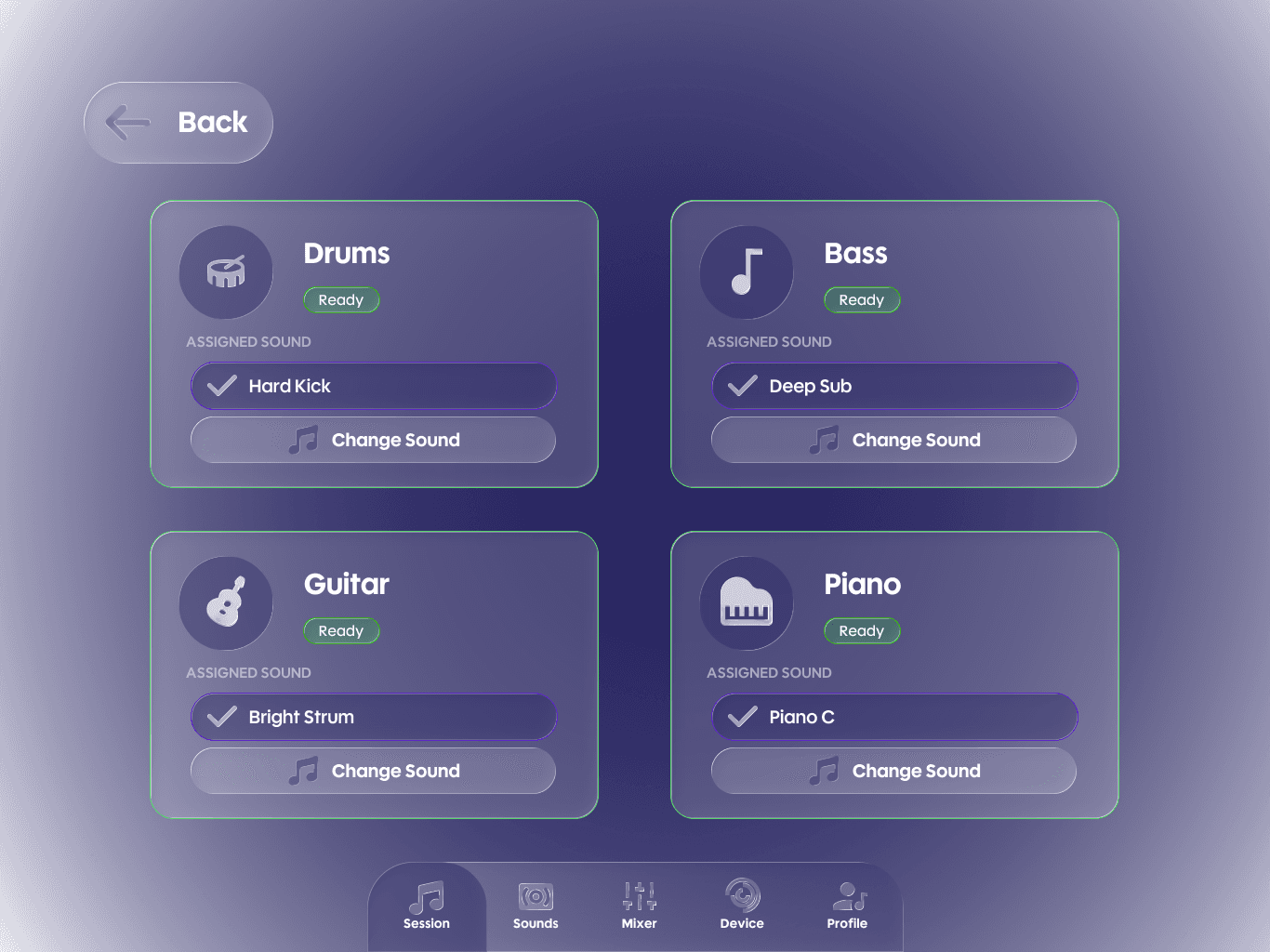
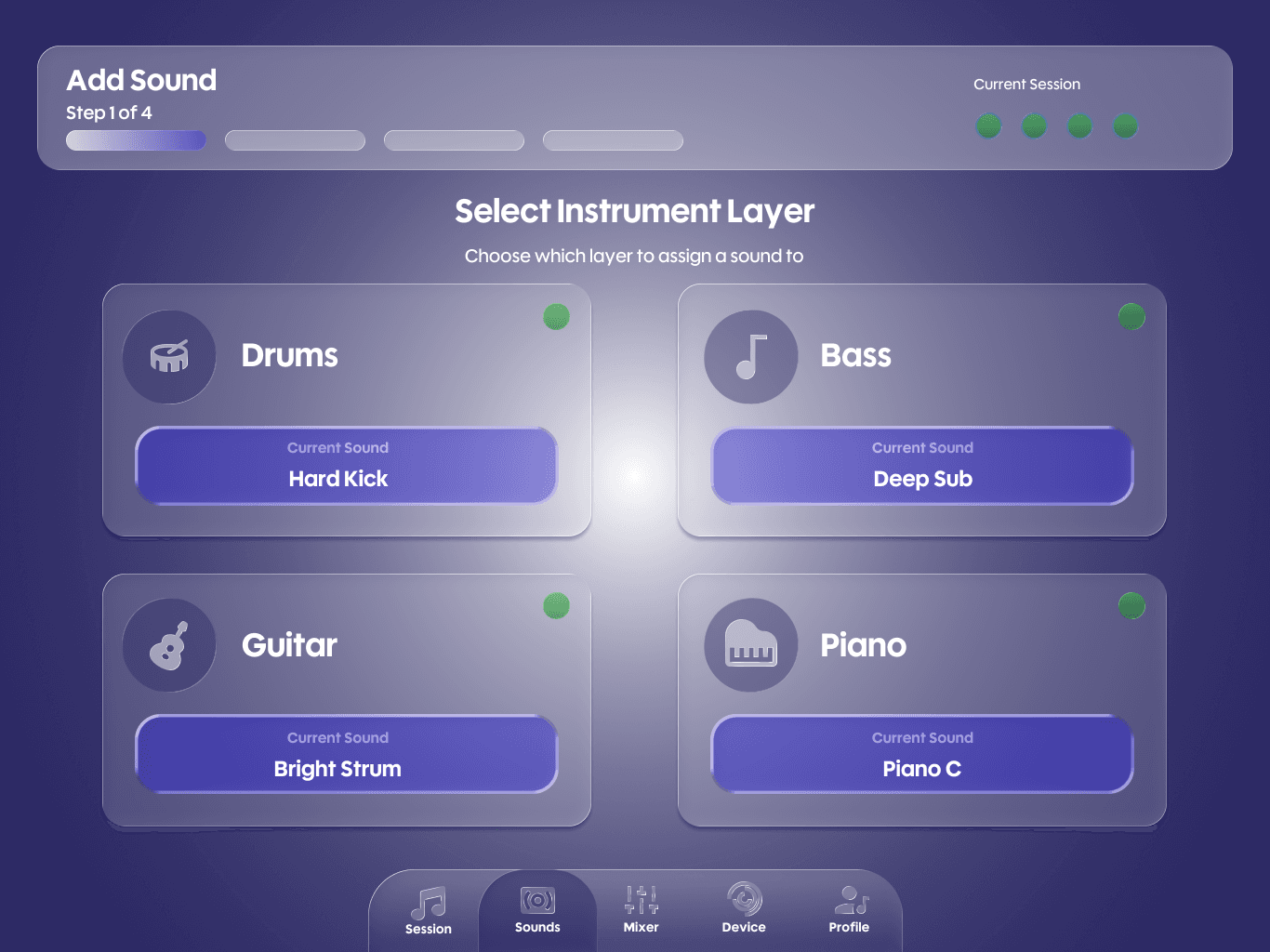
Sounds uses a consistent step pattern: select layer, choose pack, choose sound, confirm and assign. This reduces cognitive load because the user learns the pattern once and repeats it across drums, bass, guitar, and piano.
Device setup wizard that reduces confusion.
Device setup is presented as a guided flow with scanning feedback, device found confirmation, pad testing, mapping presets, and a setup complete screen. Troubleshooting is included to support recovery.
Export and save flows that prevent wrong outcomes.
Export uses clear selection states for mixdown vs stems, format, and sample rate. Save Session includes a name field, tags, and an autosave confirmation message.
Accessibility and safety features built into the product.
Photosensitivity Safe Mode and Reduce Motion are supported through accessibility settings and reinforced during pad testing. The design emphasizes readable contrast, large tap targets, and clear feedback to reduce overload during longer sessions.
52
Screens designed
5
User flows
4
Instruments used
Process
Comparative analysis and design goals.
I started by analyzing Koala Sampler’s workflow and identifying where beginners are likely to struggle: onboarding depth, device setup discoverability, and clarity of FX and mixer paths. I translated those pain points into goals for Launchitone: minimal UI, clearer onboarding, better organization, and more obvious device linking.
Information architecture and flow planning.
I mapped the app into five tabs and designed around three core user journeys:
Add and assign a sound to an instrument layer
Balance and export a session
Connect and configure a Launchpad style controller
Component-first design system.
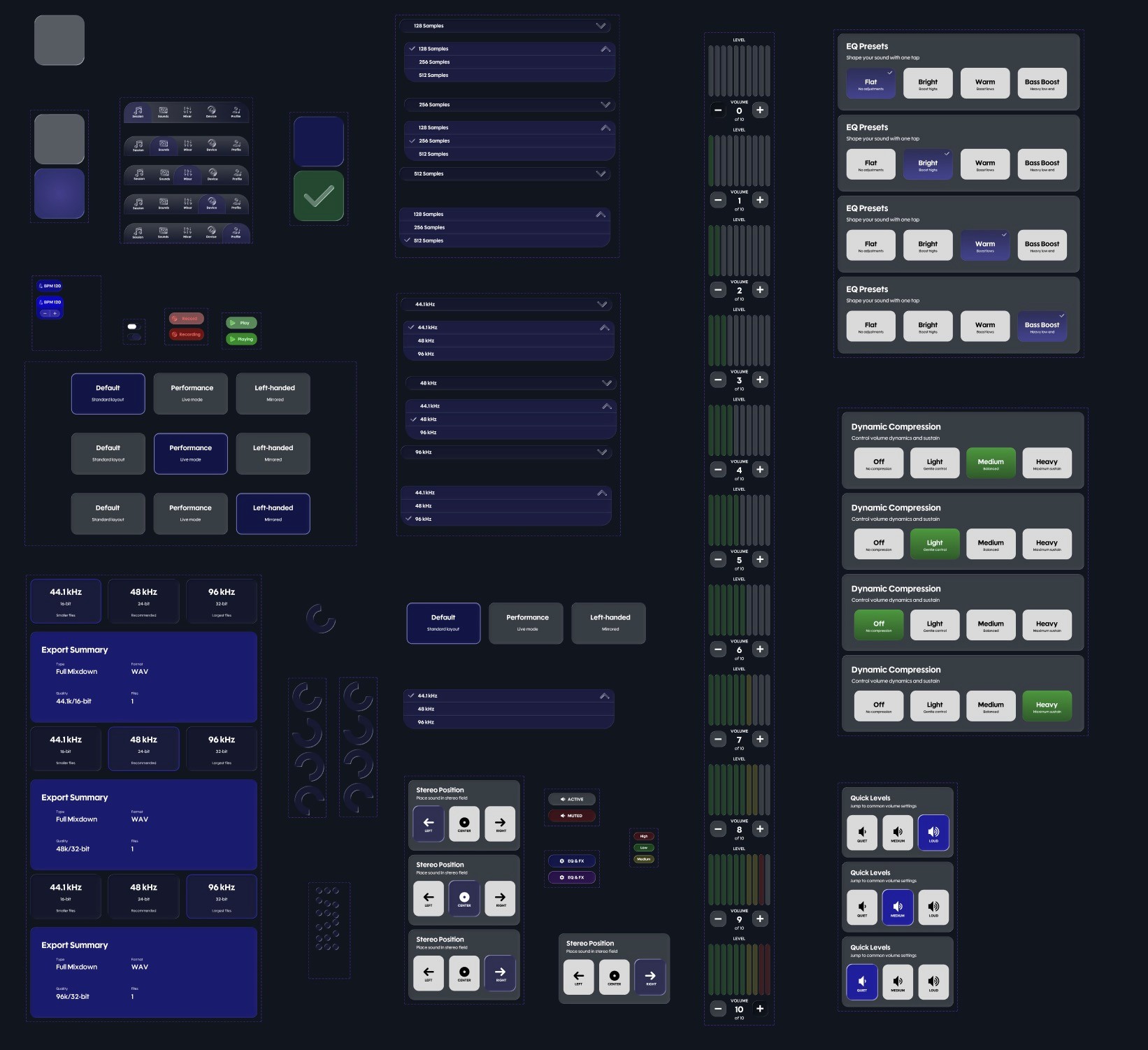
To keep the prototype consistent across 52 screens, I built reusable components early:
Bottom tab bar
Instrument tiles with linked and armed states
Sound cards and pack cards
Step headers and progress bars
Buttons, toggles, and sliders
Success and confirmation states
Interaction design focus.
Most of the effort went into making the prototype feel believable through state changes. I designed screens to communicate status without requiring the user to remember hidden settings. Examples include device scanning and found states, confirmation screens for sound assignment, and export selection states.
Accessibility and safety pass.
I added Photosensitivity Safe Mode, Reduce Motion, High Contrast, and Large Text options. I also designed the pad test and visual feedback states to avoid unnecessary flashing and to provide safer defaults during testing.
Conclusion
Launchitone is a high fidelity concept that explores how sampling and hardware based performance could feel simpler on iPad. The main design idea is that a creative tool can still be powerful while staying learnable, as long as the interface communicates state clearly and repeats predictable patterns.
If I continue this project, the next step would be building a working iPad app in Swift using Core MIDI for Launchpad input and an audio engine for playback and export. I would also run usability testing focused on device setup clarity and the sound assignment flow to confirm that beginners can complete tasks without getting stuck.